
How I Use AI With My Obsidian Vault Every Day: 16 Practical Use Cases


The most effective way to use AI with Obsidian is to give an AI tool direct access to your vault's plain-text Markdown files, so it works from your real context (your notes, goals, writing style, and past decisions) instead of a blank chat. Because Obsidian stores everything as local files, no API, plugin, or MCP server is required; the AI just reads and writes the files. Below are 16 practical ways I do this every day.
Stop starting dumb chats from scratch. A local knowledge base is the perfect context source for AI.
In this article, I want to share 16 practical ways I combine AI with my local knowledge base every single day. These aren't theoretical ideas; they're things I actually do, and they've changed how I work.
📬 If you enjoy this, subscribe to my newsletter for more tips on AI, Knowledge Management, and (Zen) Productivity.
Introduction
First and foremost, I'm both AI and Obsidian pilled. So I'm biased 😂
Whenever I discuss with people around me (outside of the tech scene), I notice that they use AI the wrong way. They start fresh conversations, over and over, providing the same context again and again. Or they rely on ChatGPT's "memory" feature, and think that it remembers everything. They don't notice the context rot.
I've explored MANY approaches, and found one that works flawlessly: combining AI with a local knowledge base.
Why local? Because that's the BEST way to be able to leverage AI. For AI, that means there's no API to call, no authentication required, no Model Context Protocol (MCP) server needed. Just straight filesystem access.
That's one of the many reasons why I use Obsidian. Among other things, it follows the File over app principle described by Steph Ango. It's just an app that manipulates local files on your computer.
That's awesome because whatever you put in there is easy for AI to consume. And it goes both ways; AI can help you enrich the content too.
TL;DR
Here are 16 ways to combine AI with your local knowledge base:
- One place for everything - Your single source of truth for focus, capture, and action
- Strategic planning - AI helps prioritize goals, projects, and tasks
- Content creation - Transform ideas into articles, newsletters, social posts
- Writing in your voice - AI that actually sounds like YOU
- Newsletter preparation - Pull from journal entries and achievements
- Research synthesis - Connect ideas across different sources
- Learning acceleration - Get quizzed on your notes, create flashcards
- Personal CRM - Track people, conversations, follow-ups
- Decision support - Analyze options based on your values and criteria
- Content repurposing - Turn articles into threads, newsletters into tweets
- Book note processing - Summarize highlights, extract key insights
- Brainstorming partner - AI suggests connections based on your past ideas
- Personal FAQ - Answer questions about your own work and business
- Idea capture - Quickly save quotes, articles, thoughts
- Content prioritization - Rank and preview what's worth reading
- Marketing and ads - Prepare campaigns from product notes
Let's dive deeper.
1. One Place for Everything
This is the most important point. Your knowledge base becomes your Single Source of Truth (SSOT); the ONE place where you keep your focus, capture information, know what to do next, and dump everything on your mind.
Instead of scattered notes across apps, random thoughts in your head, and todos lost in various inboxes, everything lives in ONE place. And because Writing is thinking, the act of writing things down helps you process and clarify your thoughts.
Invest in your personal knowledge. Make it compound and see how it helps you grow. Then leverage it with AI and observe how it acts as a force multiplier for impact
When AI has access to this single source of truth, it can help you in ways that would be impossible otherwise. It sees your full context; not fragments scattered across a dozen apps and systems.
"What should I focus on today based on my current projects and priorities?" or "I just dumped a bunch of thoughts; help me organize them."
2. Strategic Planning and Prioritization
I have notes about my goals, plans, projects, and tasks. So I can ask AI to help me strategize, prioritize, summarize, and figure out what to focus on next.
The beauty of this is that AI has access to my ACTUAL context; not some generic advice. It knows my current projects, my constraints, My Personal Manifesto, My Core Values, ... It can help me make decisions that actually make sense for MY situation.
3. Content Creation From Ideas
I have notes about my ideas. Thousands of them. So I can ask AI to help me prepare content by mixing various ideas together, helping me publish new things (actually that's exactly what I'm doing right now).
Instead of staring at a blank page, I point AI at relevant notes and say "help me turn these into an article." The raw material is already there. And since AI knows about my content templates, my target audience, etc. It generates exactly what I need, not AI slop. And it's all rooted in my own ideas.
 Sebastien Dubois
4. Writing In Your Own Voice
I have notes about my writing style, my content strategy, my target audience. So I can have AI write more like ME.
You don't even need to write notes about your writing style manually. You can have AI read some of your blog posts and write the style guide for you. I did just that to create v1 of my AI Ghostwriter. That's one more valuable source of context that sits in my knowledge base and that I can tell AI to use. And when it does, it's always up to date. There's no context rot.
💡 Want to build your own AI Ghostwriter? I've documented my entire process in the AI Ghostwriter Guide. It shows you step-by-step how to create an AI assistant that writes like you.
5. Newsletter Preparation
I have a journal (using Interstitial Journaling) with what I've achieved, plan to do next, challenges I've faced, and things I'm grateful for. I use all that with AI to help me prepare newsletters that share status updates. It saves me a ton of time.
And since I'm also doing Periodic reviews, I just have to point it to my latest ones; they contain everything that matters. It's all documented, and AI helps me package it.
6. Research Synthesis
When I'm exploring a topic, I capture notes from various sources: books, articles, videos, conversations, etc. AI helps me connect the dots across all of it.
"Based on these 15 notes and articles about productivity, what are the common themes?" or "How does this new idea relate to what I already know?"
7. Learning Acceleration
Whenever I dive into something new, I can point AI to what I've already captured in my knowledge base, and use that as basis to get explanations that connect to what I already know.
And whatever I discover that I find valuable or actionable, I just capture in my journal. After my periodic review it will get connected to the rest of my knowledge, always at my fingertips.
AI can also quiz me on my notes, help me create flashcards, identify gaps in my understanding, etc.
8. Personal CRM
I also keep notes about people: context from conversations, their interests, things they've mentioned, follow-up items. AI helps me prepare for meetings and remember important details.
"What did I discuss with this person last time?" or "What follow-ups do I have pending?"
And since Obsidian Bases are so cool, I can just open my "People" Base, and find whatever I need in an instant.
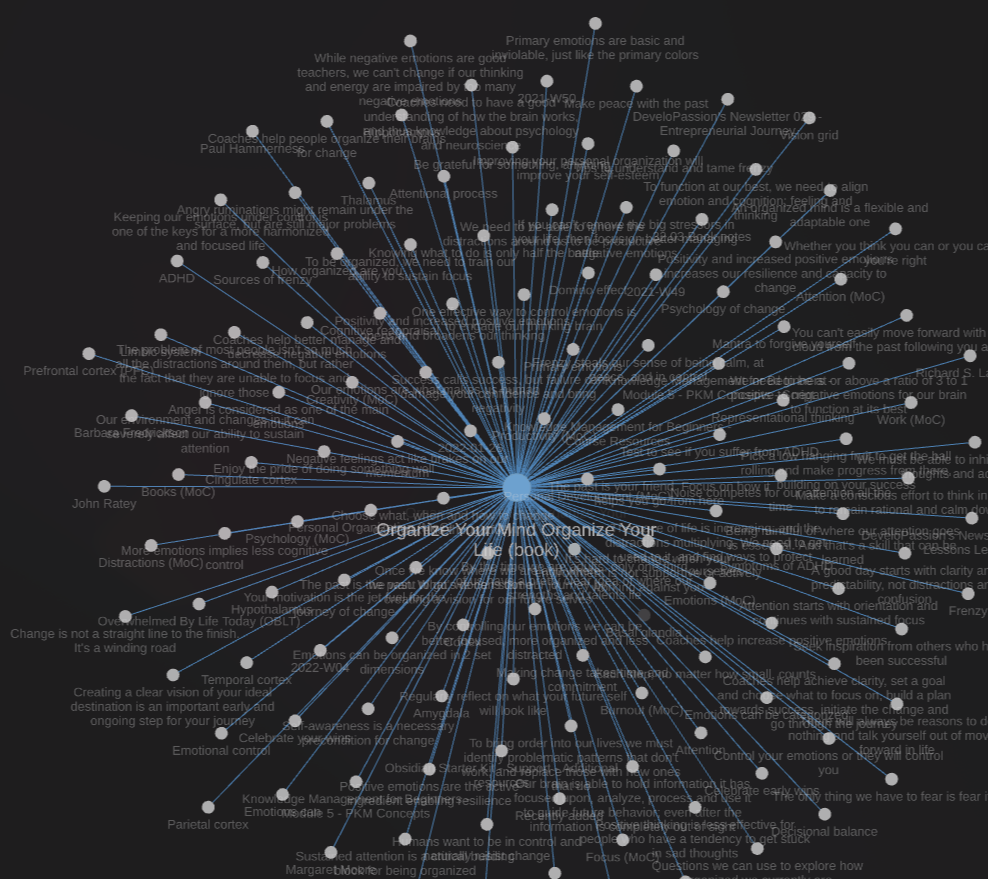
I also link people notes to meeting notes, project notes, tasks, etc. It's all part of one valuable Knowledge Graph (KG). And it makes a huge difference when I'm working at my day job. I'm the guy who never forgets anything. I'm reliable and efficient. And it's in part thanks to my knowledge base and the system around it.
9. Decision Support
When facing a tough decision, I can ask AI to analyze options based on my documented values, priorities, past decisions, past projects, results, etc. All that information is there, available for analysis.
My knowledge base contains notes about my core values, my personal principles, my non-goals. And it can reference all of that when helping me think through choices.
And while I always take the output with a grain of salt, it does often surprise me with interesting advice and insights.
10. Content Repurposing
I write long articles, but I also need tweets, LinkedIn posts, newsletter snippets. AI helps me transform content across formats while maintaining my voice.
One article can become 10 tweets, a thread, a newsletter section, and social media posts. The source material is already there.
Also, since I have notes about my products (sales copies, etc), AI can also easily help me add relevant CTAs (you might have noticed a few in this very article!).
11. Book Note Processing
When I finish a book, I have TONS of notes that I turn into digital notes and add to my knowledge base. And again, that information becomes actionable. Instead of highlights and annotations scattered everywhere, I have information that I can reuse, remix, provide to AI as additional context, etc.
In addition, AI also helps me summarize key points, and extract insights, connect ideas with my existing notes, add tags and metadata.
"Based on my highlights from this book, what are the 5 most actionable ideas?" or "How do these ideas connect to my notes about productivity?"
12. Brainstorming Partner
Because AI has access to my past ideas, it can suggest connections.
"I'm thinking about writing about X. Based on my existing notes, what angles haven't I explored yet?" AI can find patterns I've missed.
Also, it can combine ideas coming from different domains (e.g., overlap between AI, Software Development and Content Creation). It's all just text.
Everyone is going to use AI, that won't be a differentiator for long. But those who combine AI and Knowledge Management will have the edge
13. Personal FAQ
I also have notes about my business, my processes, my past projects, etc.
I can ask AI questions about my own work, business, products, and processes. The answers come from MY documentation, not random Internet knowledge.
"What's my refund policy?" or "How does my onboarding process work?" It's all documented, all accessible.
14. Idea Capture and Organization
When I come across interesting quotes, articles, or random thoughts, AI helps me quickly capture and file them in the right place.
No more "I read something about this once but can't find it."
Earlier today, I wanted to mention a cool tool that I stumbled upon a while ago. It just took me 10 seconds. Open search, and BOOM, there's the app's name: Timelinize. Easy peasy.
And I can capture whatever I want all day long. I just keep my daily note open, or ask AI to create a note and add it to my daily note. I do that with ideas, tasks, problems, next steps, articles, etc etc etc.
The great thing about this is that there's no question about where I should be looking. My knowledge base is my Single Source of Truth (SSOT). It's also an Information Radiator, but I'll discuss that another day ;-)
15. Content Prioritization
I have a massive reading list. AI helps me rank what's worth reading based on my current goals and interests, and can summarize content before I commit the time.
"Based on my current projects, which of these articles should I prioritize?" or "Give me a quick summary so I can decide if this is worth the full read."
16. Marketing and Ads
I have notes about my products: sales copy, features, customer feedback, sales numbers, etc. So I can ask AI to help me prepare ads, landing pages, and marketing campaigns.
The context is already there. AI just helps me package it.
Recently, I've built my new online store. Can you guess where AI got all the information to include?
The Fourth Place
Basically, the way I see it is: my knowledge base is my operations center. It's my Fourth place: the place where I think, meet with myself, write, plan, track, and create.
And when you combine that special place with AI, you have the perfect source of valuable context for AI to use and leverage. No more starting dumb chats over and over. No more relying on unreliable memory systems included in ChatGPT and the like. Those are truly awful. They store information pseudo-randomly, and it all pollutes the AI context. Whereas with a solid knowledge base, you can cherry-pick the parts of your so-called second-brain that it should read/take into consideration. Instead of accumulating randomly picked memories, you craft the perfect context for AI to use. And it DOES make a big difference.
What I'm Using
Nowadays, I mostly use Obsidian with Claude Code (I'm on the Max plan), but also Claude Cowork and a few Obsidian Community Plugins that I've built.
I've let go of most other AI plugins. Don't really need any of those when you have filesystem access.
My knowledge base is also a Git repository, so I don't care if AI messes anything up. Everything is versioned and recoverable.
💡 New to Obsidian? The Obsidian Starter Kit includes my complete system with templates, plugins, and organization structure; ready to use with AI tools from day one.
What If You're Wary About Privacy?
If you're concerned about privacy (which I understand), you can use something like Ollama or LM Studio, run a local Large Language Model, and point it to your knowledge base. Everything stays local.
But honestly, frontier models are different beasts right now. Local models are getting better, but they're still far behind.
For me, privacy concerns are secondary. Google already knows so much, and the value I get out of AI makes it worth it.
Going Further
If you want to learn more about Obsidian and Personal Knowledge Management (PKM), here are some resources:
Free resources:
- My website with hundreds of articles
- My newsletter with weekly tips and insights
- My public notes with 10K+ notes you can explore
- My YouTube channel with tutorials and workshops
Products and courses:
- Obsidian Starter Kit: A ready-made Obsidian vault with my complete system; perfect if you want to skip weeks of setup and start using AI with your notes immediately
- Knowledge Management for Beginners: My comprehensive course on PKM (don't let the name mislead you. It also covers many AI tools and integrations)
- AI Ghostwriter Guide: Step-by-step guide to building an AI assistant that writes exactly like you
Community and coaching:
- Knowii Community: Join other knowledge workers and creators to discuss these topics, share workflows, and get support
- PKM Coaching: One-on-one sessions if you want personalized guidance for your specific situation
Here's a free 2.5h Obsidian workshop:
And if Personal Knowledge Management (PKM) is completely new to you:
Conclusion
The combination of AI and a local knowledge base is incredibly powerful. It's not about fancy combinations of tools and complex setups. It's about giving AI access to YOUR context: your ideas, your style, your goals, your decisions. It's about cherry-picking the key elements it should focus on to craft the perfect context for the task at hand.
I strongly believe that those who combine AI and Knowledge Management have the edge. Don't let AI turn you into an NPC. Use it to amplify what makes you unique.
Ready to try it? Start simple. Pick ONE use case from this list and experiment with it this week.
If you want to accelerate your journey, the Obsidian Starter Kit gives you a complete system ready to use with AI from day one. And if you want to dive deeper, then consider joining the Knowii Community, where we dive DEEP into Knowledge Management, AI and the future of work.
That's it for today! ✨
Frequently Asked Questions
How do you use AI with Obsidian?
Point an AI tool at your vault so it can read and write your notes directly. Because Obsidian stores everything as plain Markdown files in a local folder, an agent like Claude Code can access them straight from the filesystem, no plugin or server required. You then ask it to work from your real context: plan my week from these project notes, draft an article from these ideas, or summarize this book note. The AI sees your full context instead of starting from a blank chat.
What is the best AI tool for using Obsidian with AI?
The best setup gives the AI direct filesystem access to your vault. I mostly use Claude Code (on the Max plan) alongside a few Obsidian community plugins I built. There are also in-app AI plugins, but once a tool can read and write your Markdown files directly, you rarely need them. Filesystem access is simpler, faster, and avoids context rot.
Can AI read my Obsidian notes?
Yes. Obsidian notes are plain Markdown text files stored locally, so any AI tool with access to that folder can read them. That is the main advantage of a local, file-over-app knowledge base: there is no proprietary database or API in the way. You can also let the AI write back, enriching notes, adding tags, or creating new ones.
Is it safe to give AI access to your vault?
It is manageable with a couple of precautions. Keep your vault under version control with Git so any AI change is reversible; that is what I do. If you are concerned about privacy, run a local model with Ollama or LM Studio and point it at your vault so nothing leaves your machine. Frontier cloud models are still more capable, so it is a trade-off between privacy and quality.
Do you need a plugin or MCP server to use AI with Obsidian?
No. Because the notes are local files, direct filesystem access is enough; you do not need an API, a plugin, or an MCP server. That simplicity is the whole point: the AI reads and writes the same files Obsidian does, so your context is always current.
Related
- Obsidian
- Benefits of Obsidian
- Claude Code
- Why Obsidian is All You Need - From Simple Notes to Complete Productivity (Article)
- File over app principle
- OpenClaw
- LM Studio
- Ollama
- Fourth place
- AI Ghostwriter Guide
- Personal Knowledge Management (PKM)
- Writing is thinking
- Knowledge Management for Beginners
- Use cases for AI and local knowledge bases
About Sébastien
Ready to get to the next level?
Found this valuable? Share it with someone who needs it.